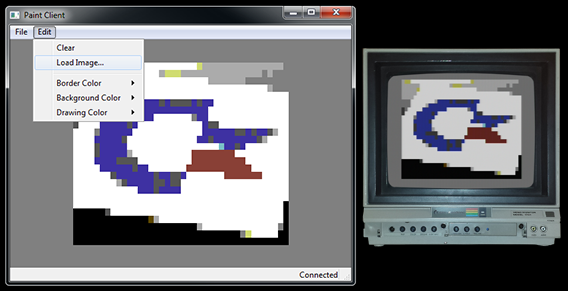
Firmware 1.3.1 is now available! It’s a much smaller update than 1.3.0, but it brings back a feature I’ve missed for a long time: disk streaming.
Back in 2013, firmware 1.2.0 taught the Flyer to stream disks from your commodoreONLINE account instead of downloading the whole image. The server behind that went quiet years ago. I’ve now rebuilt it from scratch, and it’s running on the new commodoreONLINE server. Streaming works again even with older firmware, but 1.3.1 makes it much more robust, and adds a way to save your changes from a remote mount back to your account.
There are a couple of other handy additions, plus a few fixes. Please check it out and let me know if you run into any issues!
Updating
Update the usual way, with  . Your settings and disks are kept. If you’re still on 1.2.2 and can’t connect, see the “Can’t connect?” section of the 1.3.0 post.
Streaming disks: two ways
There are two ways to use a disk from your commodoreONLINE account without downloading the whole image:
- Remote disk download, with
LOAD"DISK:My Games,R",7. A small shortcut to the disk is added to the Flyer’s disk set, so it shows up alongside your other disks. Pick it with the button or D-M as usual, and it streams from the server. To save your changes back to your account, useSAVE"DISK:My Games",7. Unlike a full local disk image, no @ is needed. - Remote mount, with
OPEN 15,7,15,"R-M:My Games":CLOSE 15. This mounts the disk temporarily, outside your disk set, until you unmount it or power off. New in 1.3.1, you can save your changes back to your account and unmount in one step:OPEN 15,7,15,"R-U:S":CLOSE 15. If the save fails, the Flyer reports the error and leaves the disk mounted, so nothing is lost. A plain R-U still unmounts without saving. With older firmware, remote mounts are read-only.
New
- Refresh a downloaded cloud disk. If you’ve changed a disk on commodoreONLINE, or saved it from another Flyer, you can pull the latest copy onto the disk you have active with
LOAD"@DISK:",7. It keeps the disk’s place on the Flyer, and finds it even if you’ve renamed it on the site. Any unsaved changes on the Flyer are replaced. This is for fully downloaded disks: a streamed disk always reads the server’s copy, so it gives error 68. - Hub games (launching soon!) log in without a token. Games on the new commodoreONLINE game service now ask the Flyer for its own login token, so you don’t have to type one in. Your Flyer just needs your commodoreONLINE account set up in its config. (Game disks need to be the latest version from the site.)
Disk streaming
- Losing the connection to the stream server no longer reboots the Flyer. The disk is unmounted instead, with 74,DRIVE NOT READY.
- Unmounting a remote disk no longer loses the most recent write.
- A failed remote mount no longer leaves the Flyer in a bad state. It now reports 67,NO LINK.
- Idle remote disks stay connected. The Flyer now checks in with the server every 15 seconds.
Cloud disks
- An interrupted disk download no longer leaves a partial disk on the Flyer.
LOAD"DISK:",7andSAVE"DISK:",7with no name now give an error, instead of misbehaving.
Game service
- Fixed a false 21,BAD COMMAND on the Flyer’s display when starting a hub game.
Under the hood
- The firmware is now checked by over 200 automated tests, plus the test suite that runs on the C64 itself.