Remember the gaming service I mentioned back in the 1.3.0 post? It’s live! Starting today, you can play games over the internet with other Commodore owners, through the new game hub on commodoreONLINE.
I first designed this back in 2017(ish), and it sat in a notebook for far too long. It’s finally real, and I’m really happy with how it turned out. And like everything else on commodoreONLINE, it’s free, with no ads 🙂
What’s playing
Head over to the games directory to see what’s there. To start with:
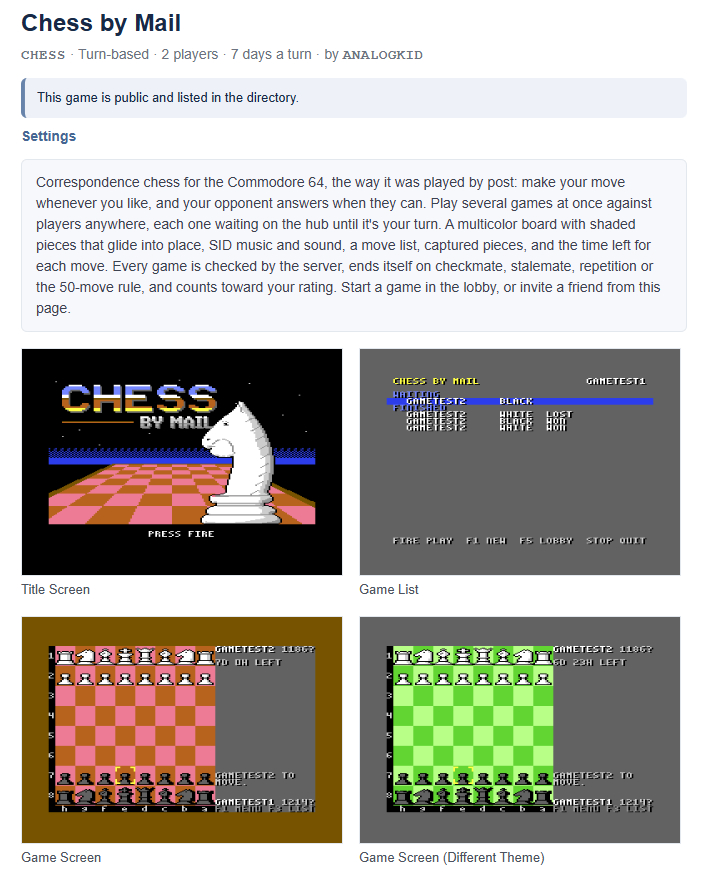
- Chess by Mail: chess the old-fashioned way. Make your move whenever you like, and the site sends you a message when it’s your turn. There are ratings too, if you’re the competitive type.
- Colossal Cave: the one that started it all, now with company.
- Dot: honestly, I’m not sure what Dot is. Somebody left a terminal running at a lab in New Mexico in 1985, and it’s still answering. Say hello.
Every game has its own page with screenshots, instructions, leaderboards, achievements and who’s playing right now. You can invite friends to a match right from the site, and the turn-based games keep track of everything between turns, for days if need be.
Getting connected
Each game’s page has its disk. If you have a Flyer, click Add to my disks and it’s ready to load straight from the cloud. Otherwise, download the .d64. If a game’s disk gets an update, you’ll get a message on the site.
Then just load and run it. Depending on the game, it runs on:
- a C64 (or a C128 in C64 mode) with a Flyer, a WiFi modem on the user port, or a SwiftLink;
- a PET with BASIC 4 and 32 KB, with a Flyer (the text adventures and Dot).
Flyers with firmware 1.3.1 log in automatically. Everyone else signs in with a play token, from the My Games page in your account. And the text worlds can be played right in your web browser too, on a proper Commodore-style screen, for when you’re away from your machine.
Write your own!
This is the part I’m most excited about. The hub was built so that anyone can write games for it. It handles the networking chores (logins, lobbies and chat, matchmaking, turn-based play, leaderboards and saved data), so you can concentrate on the game.
- The protocol is just lines of text over TCP, so even a BASIC program can play, with PRINT# and INPUT#.
- playlib, a small library for C64 and PET machine-language and cc65 programs, takes care of the differences between devices.
- When a game needs a server of its own, you can write it in Go, Python or C++ with the SDKs, and run it on your own machine.
- A text world can be written entirely on the server. Players use the same standard text client disk, or their browser.
- Register a game on your My Games page and it’s playable right away, with no approval step. Keep it private while you test, then open it up when it’s ready.
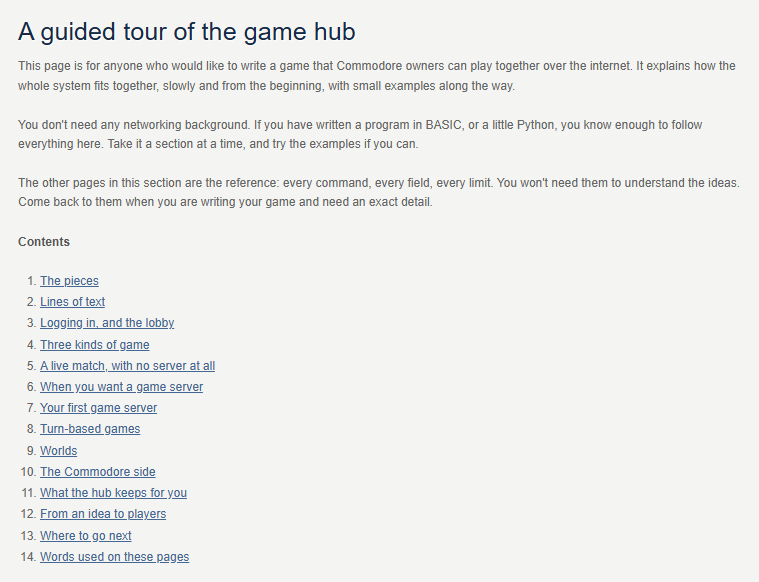
It’s all documented at commodoreonline.com/docs/gamehub. If you’re new to network programming, start with the guided tour: it walks through how everything fits together, with small examples along the way. The downloads include a hub you can run on your own PC for testing, the SDKs, and the Commodore library with examples.
And it isn’t just for the Flyer! Anything that gives a Commodore a TCP connection can talk to the hub. playlib’s driver interface is documented too, if you’d like to add a device (WiC64 or Ultimate, anyone?).
Let me know!
This is all brand new, so I’m sure there are some rough edges. Please contact me with any bugs, feedback or ideas, or tell me about a game you’re working on. I’d love to see what you make!